Click the User Menu button, and click the Workspace Settings link.
Step 1
From your Workspace management page, click the Billing Profile link.
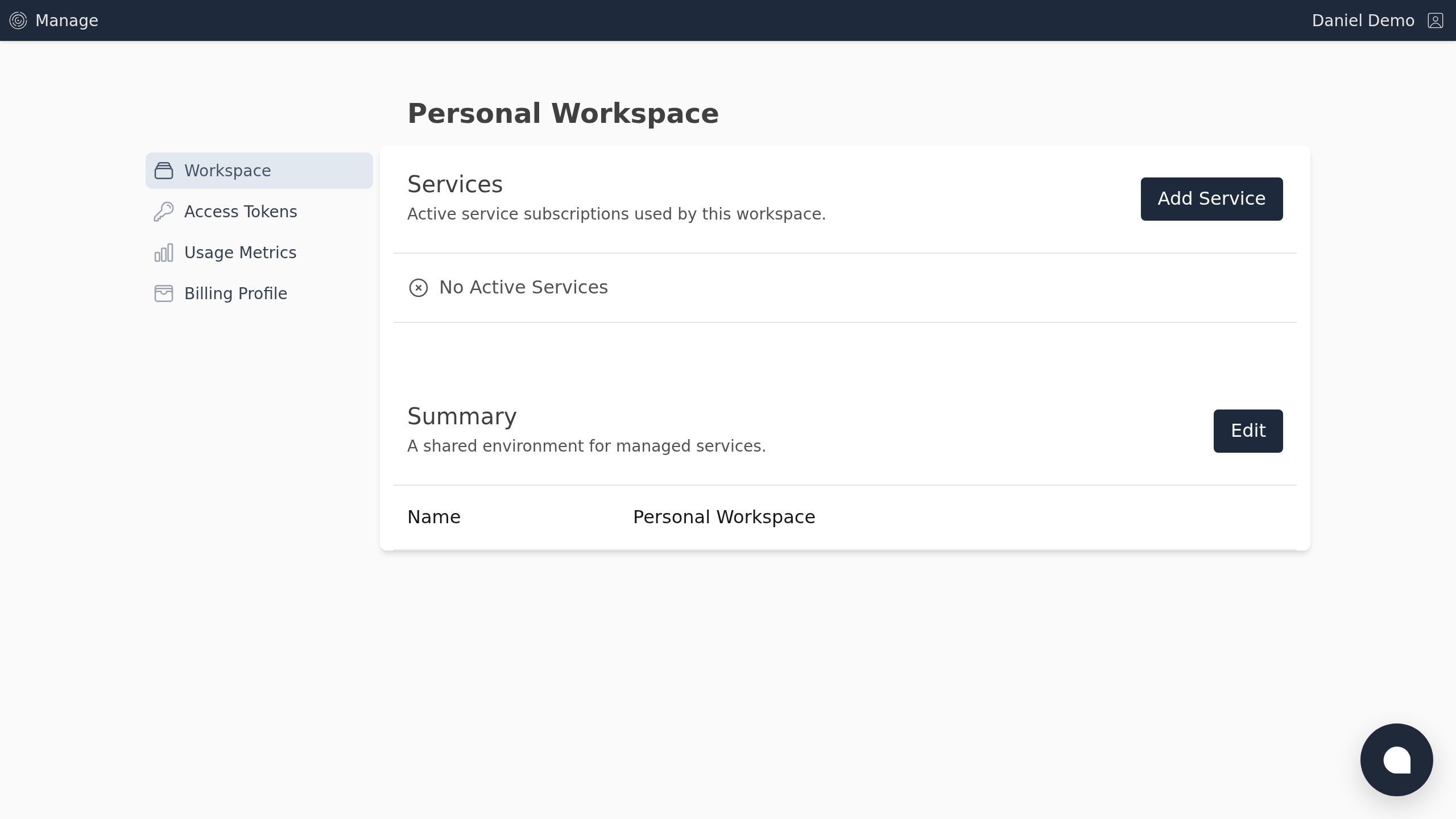
Screenshot with the Billing Profile link
Step 2
Click the Update Profile link.
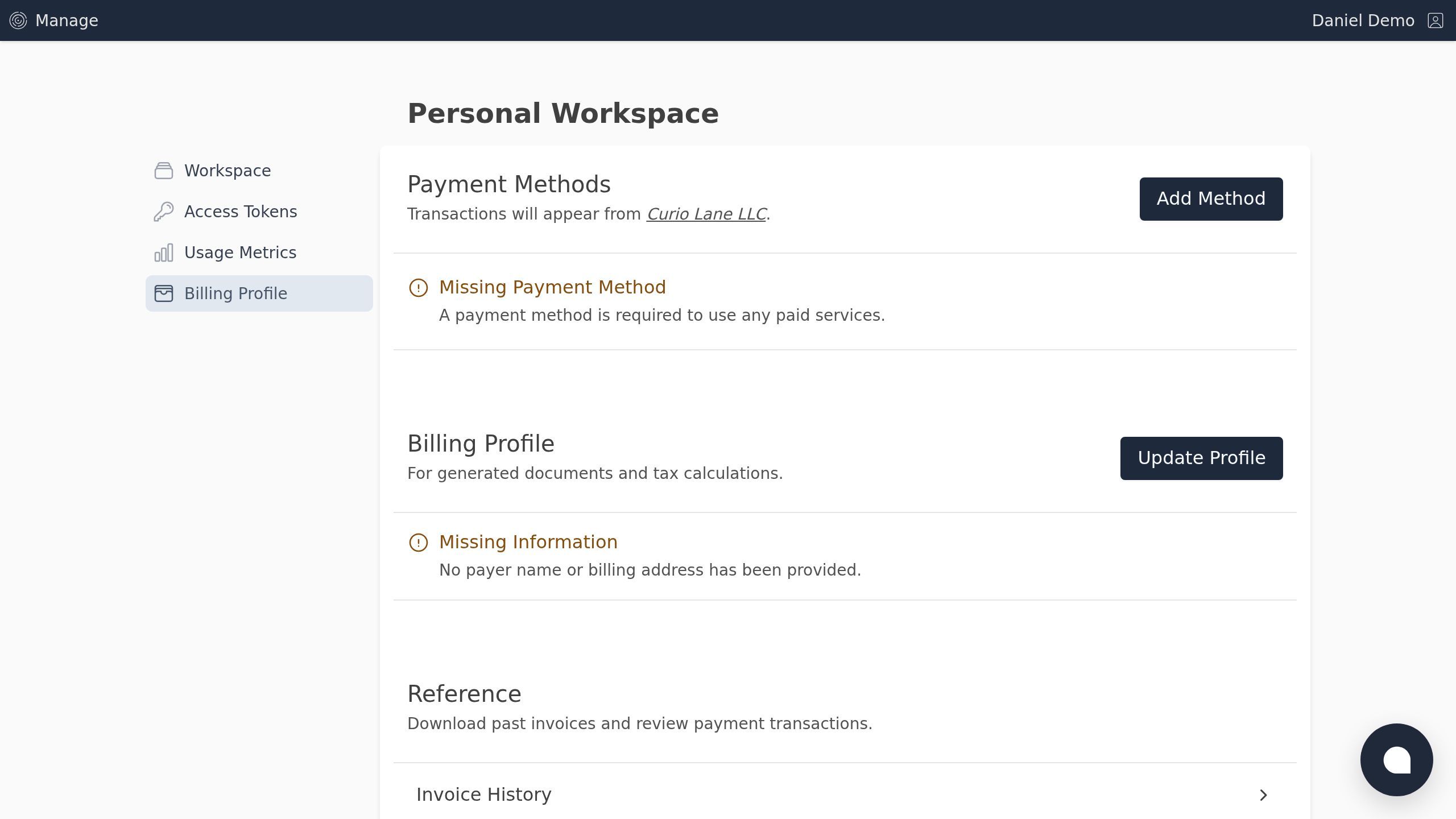
Screenshot with the Update Profile link
Step 3
Fill in your name and address. Click the Save Changes button.
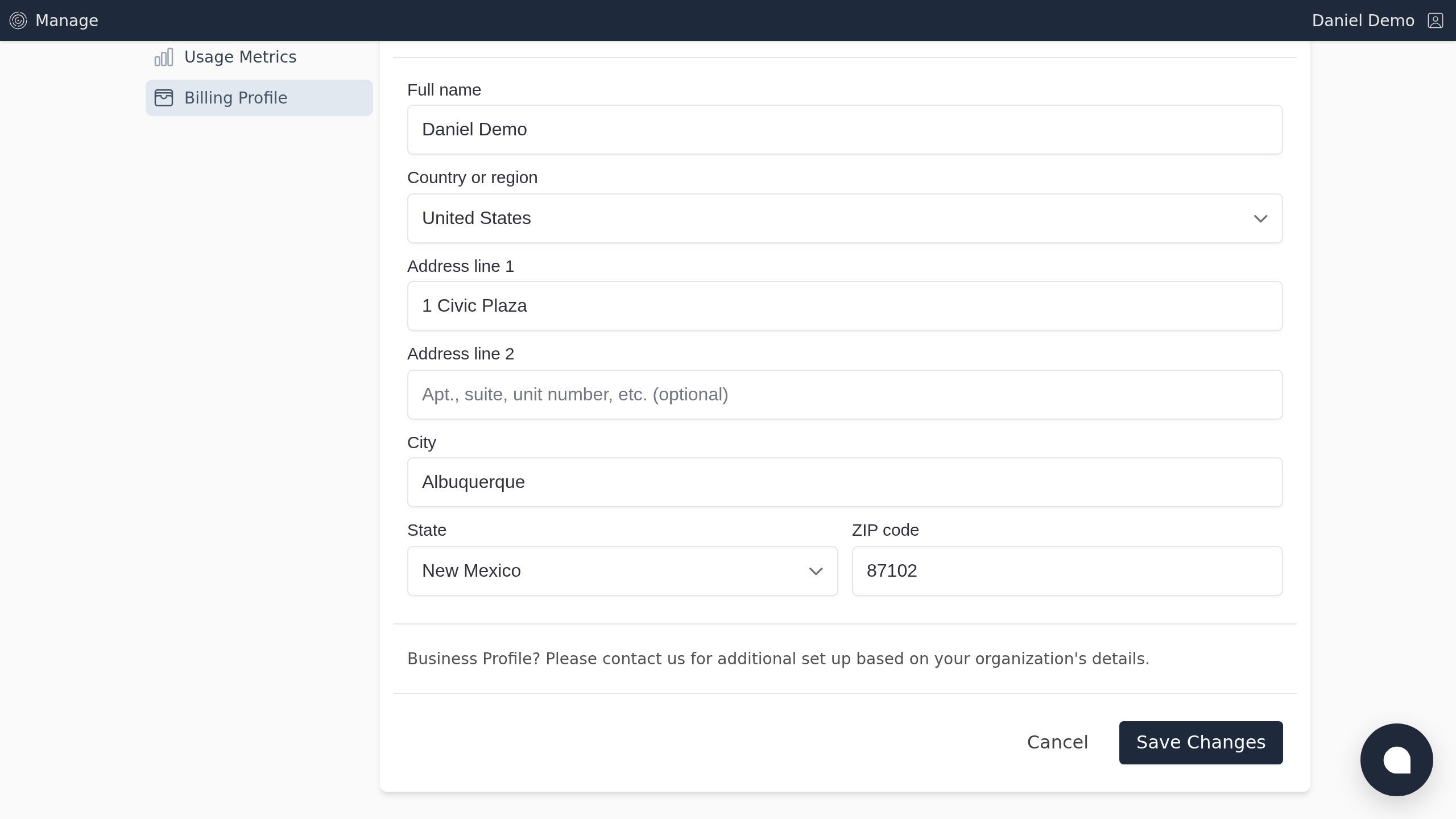
Screenshot with the Save Changes button
Step 4
Click the Add Method link.
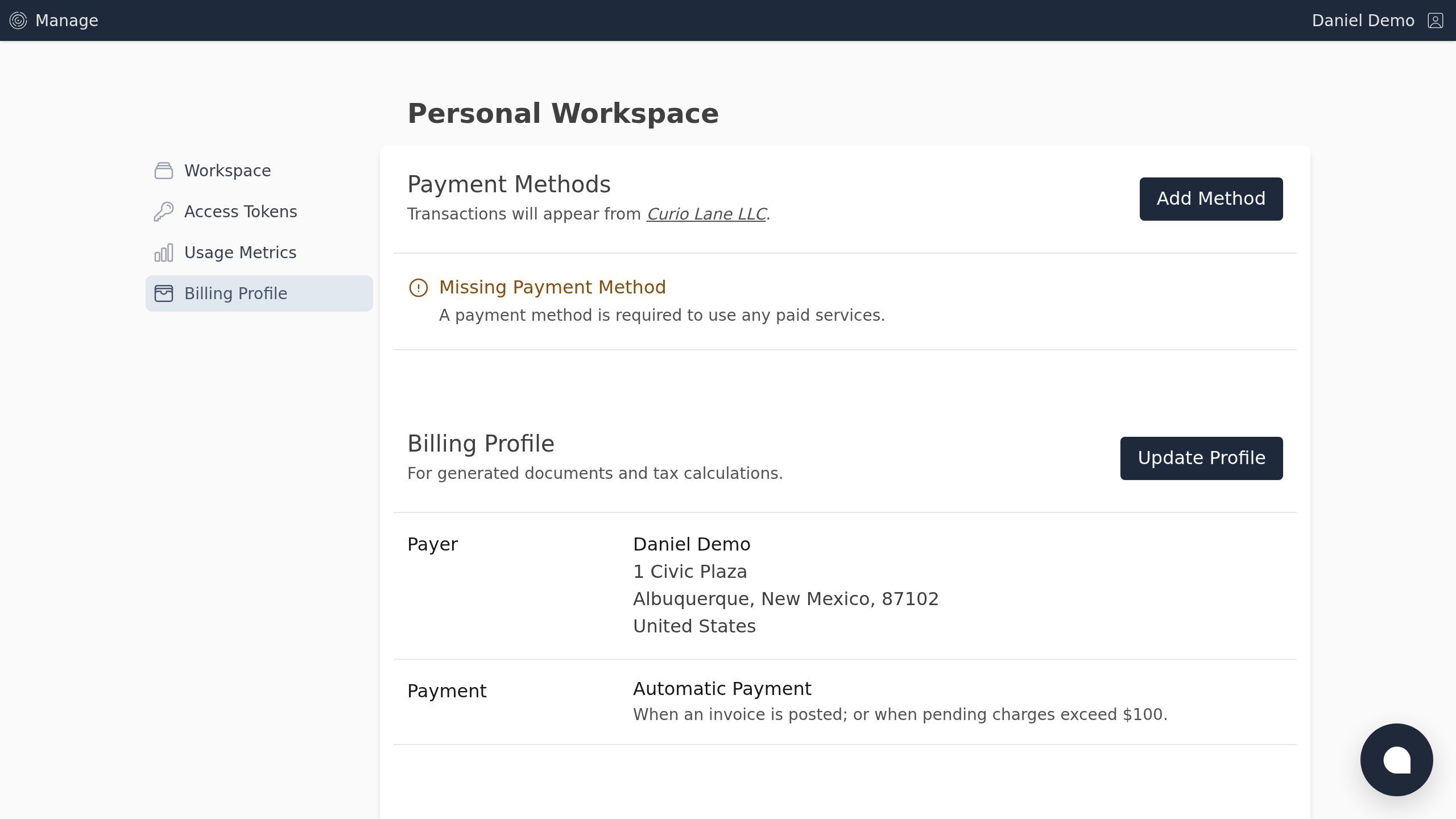
Screenshot with the Add Method link
Step 5
Fill in your card payment details, and click the Add Method button.
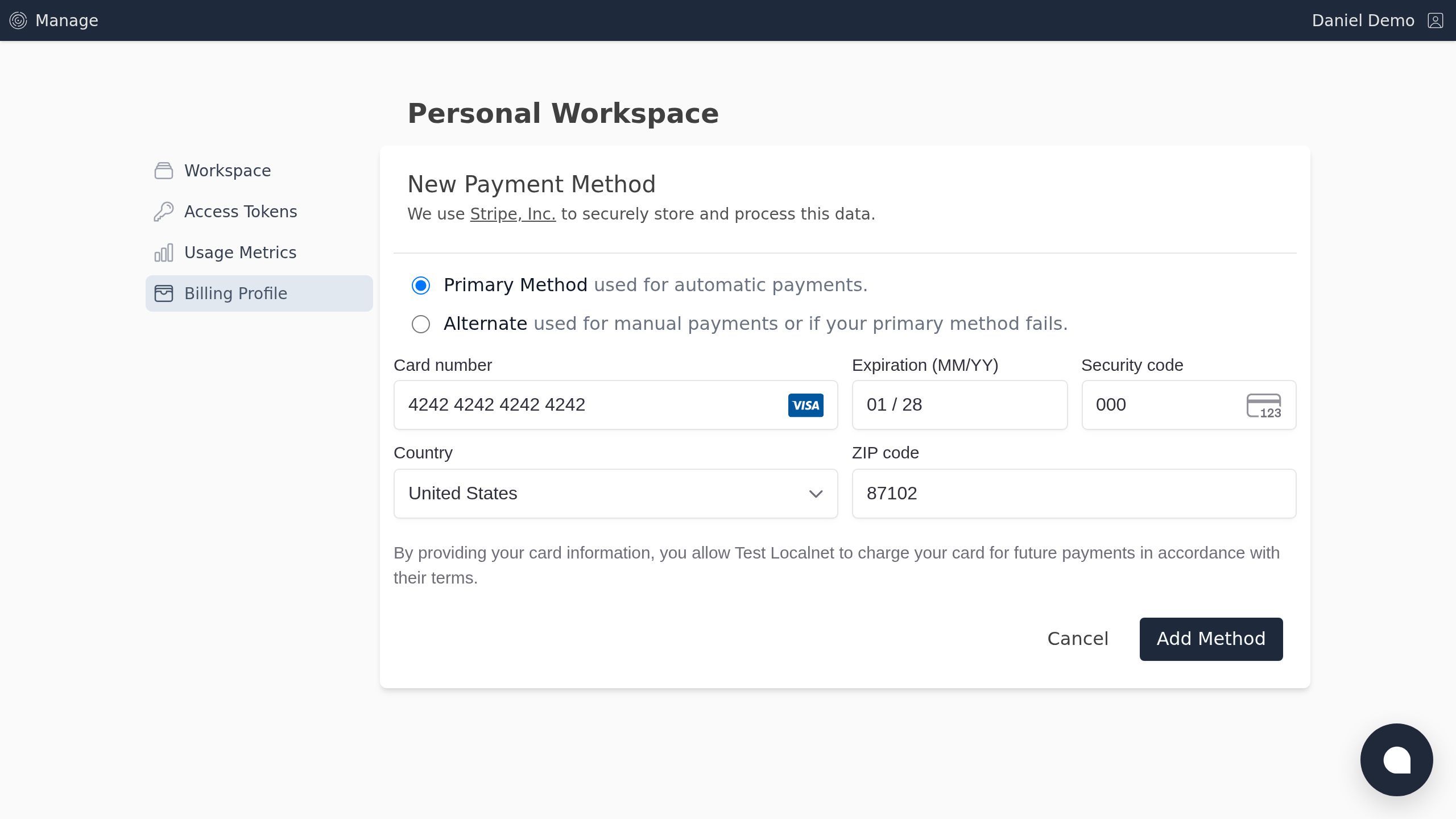
Screenshot with the Add Method button
Once saved, you can add paid services or return at any time to update your billing profile.