Step 1
From your Workspace management page, click the Add Service button.
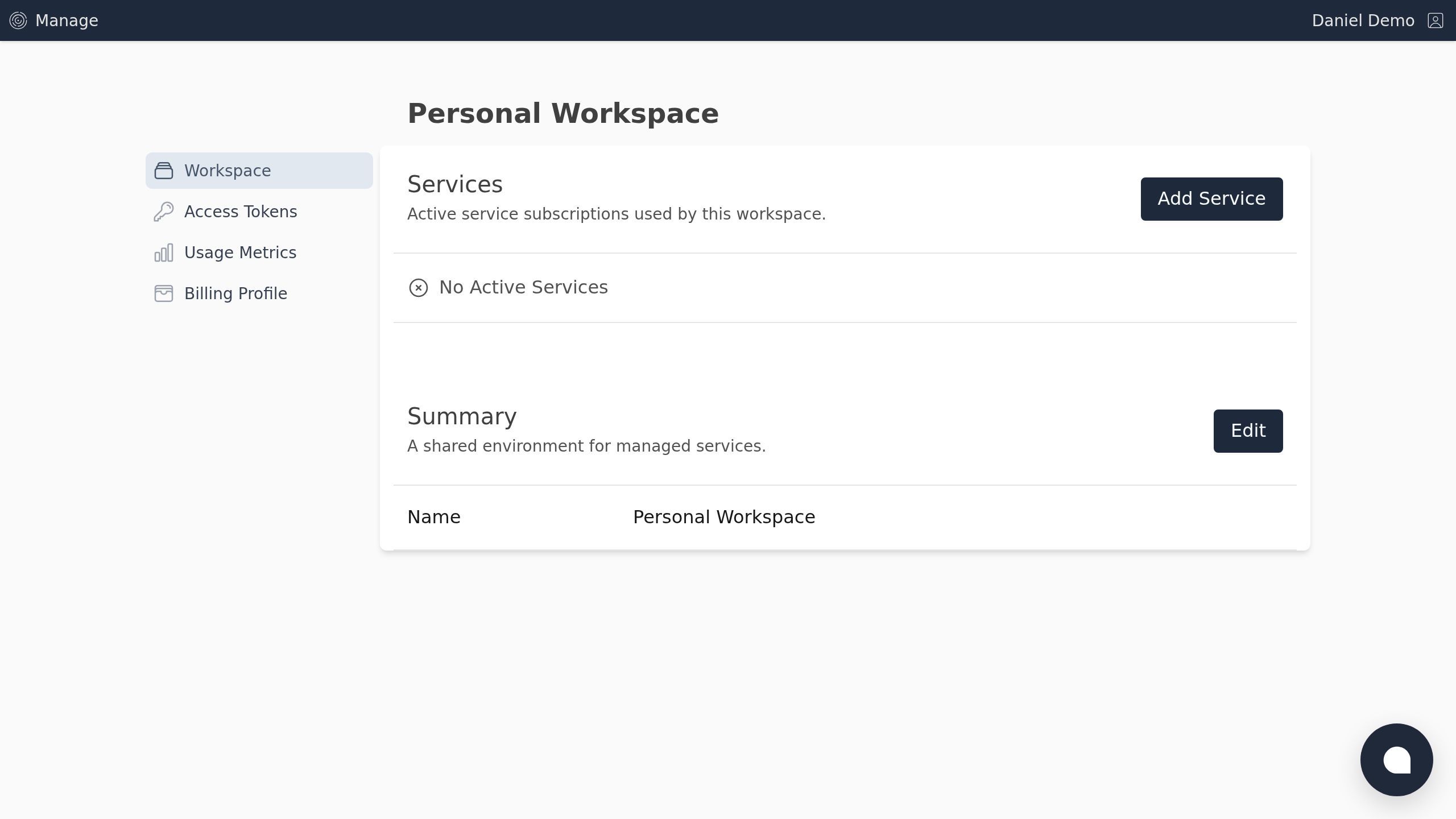
Screenshot with the Add Service button
Step 2
Click the Schema Markup button.
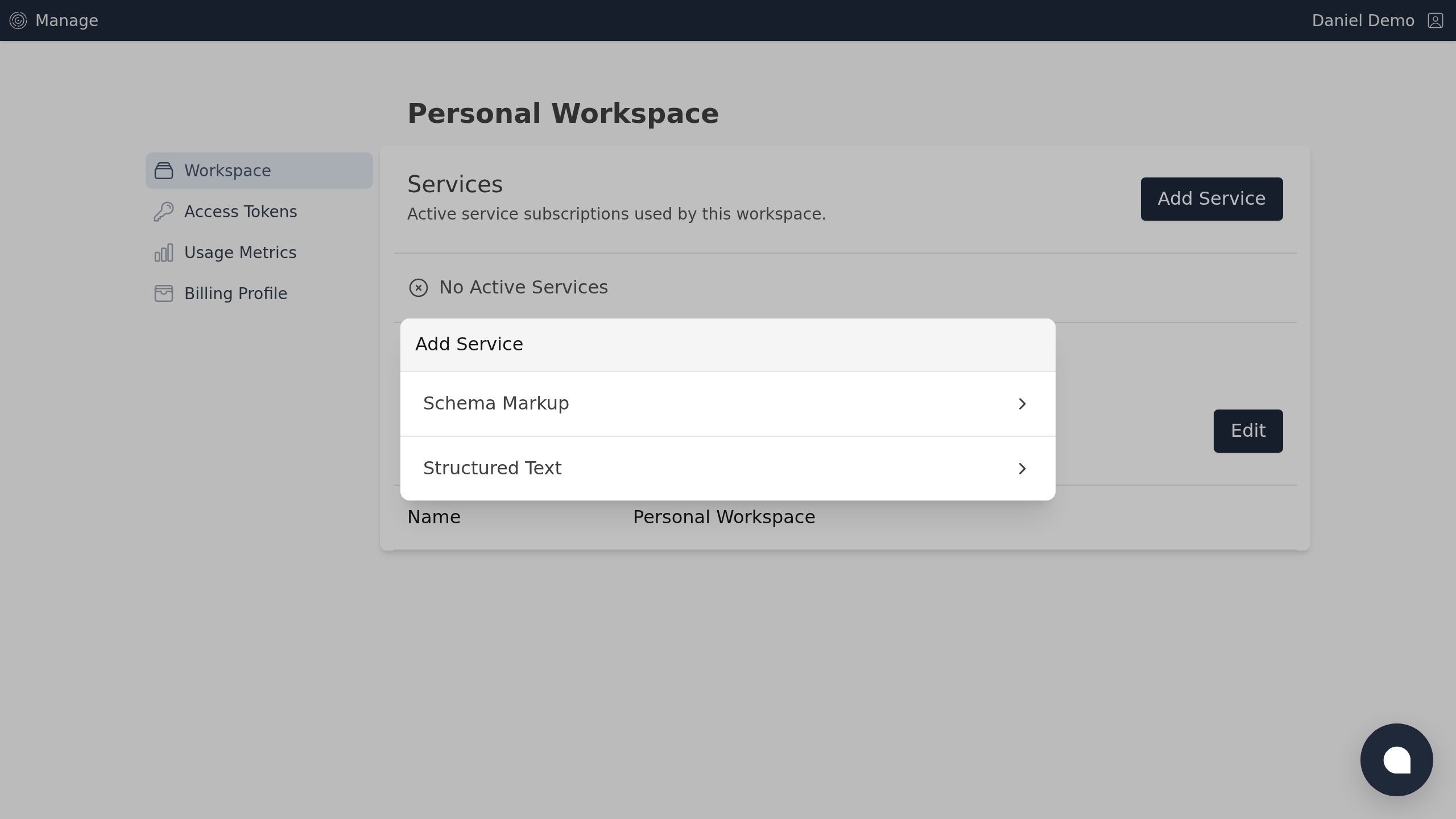
Screenshot with the Schema Markup button
Step 3
Choose your desired plan.
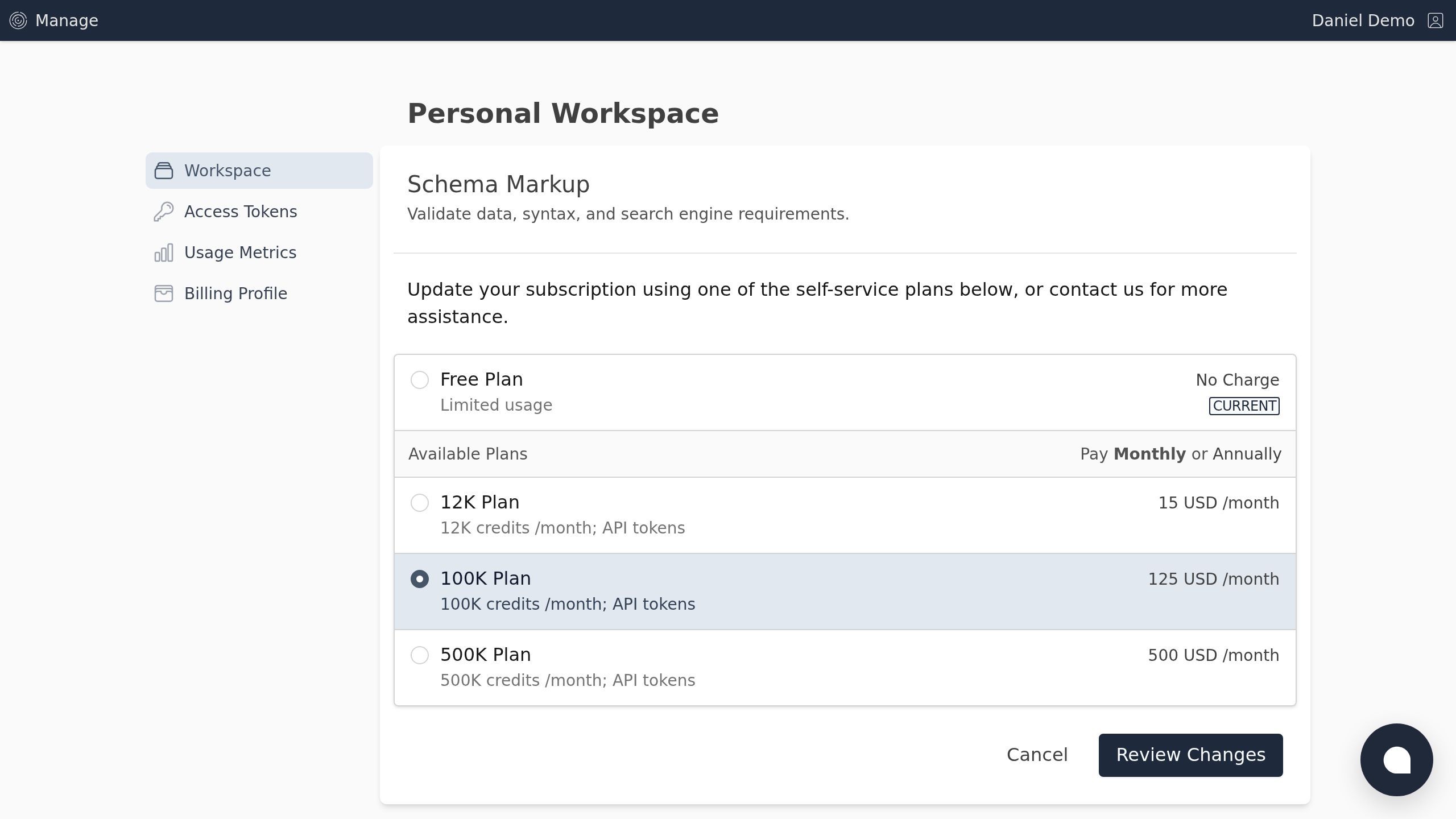
Screenshot with the Review Changes button
Step 4
After confirming any feature and pricing changes, Click the Apply Changes button.
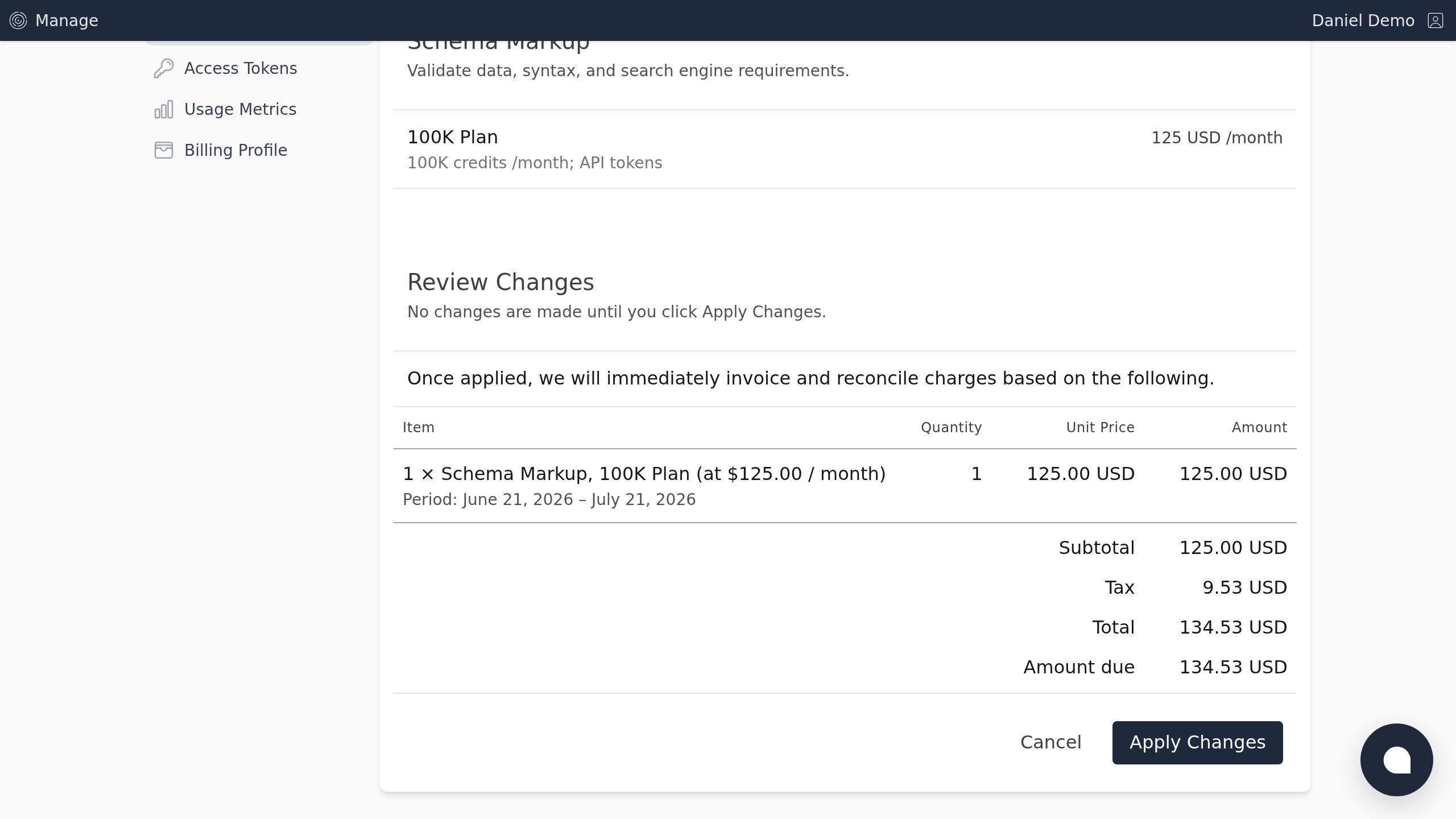
Screenshot with the Apply Changes button
Step 5
Once applied, you can always return later and make additional changes.
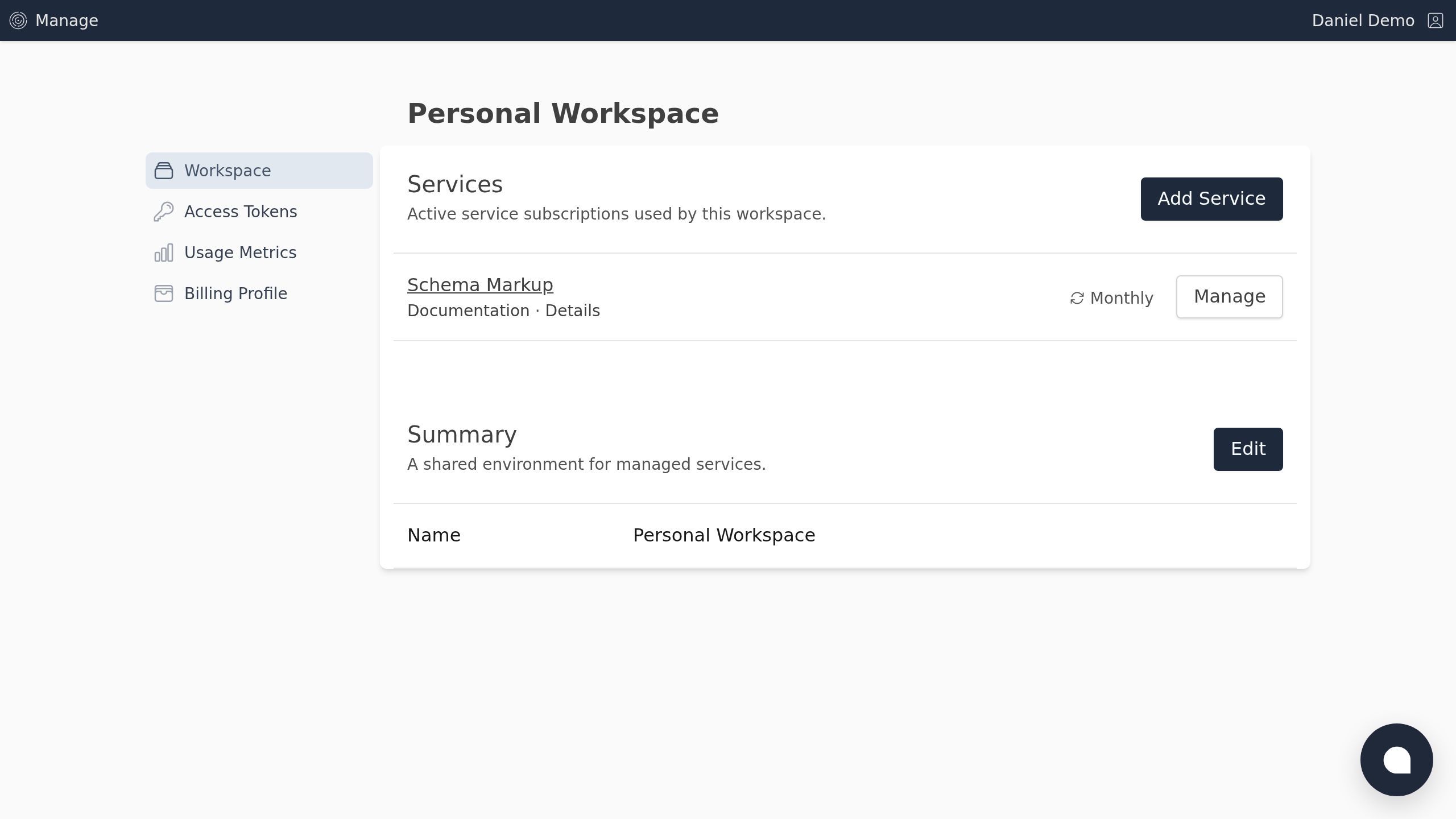
Screenshot of the Workspace | Curio Lane page.