Step 1
From your Workspace management page, click the Access Tokens link.
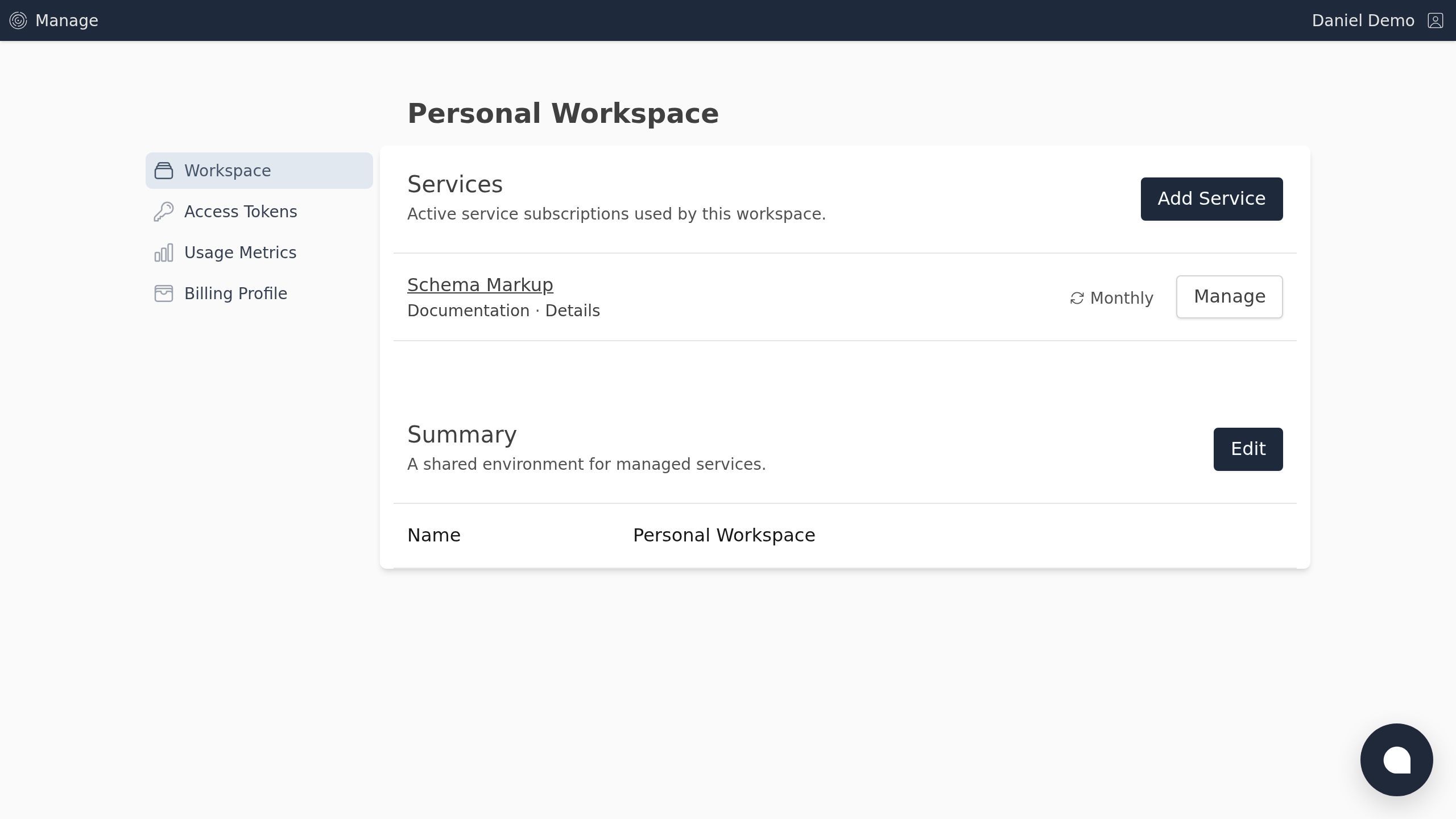
Screenshot with the Access Tokens link
Step 2
Click the New Token button.
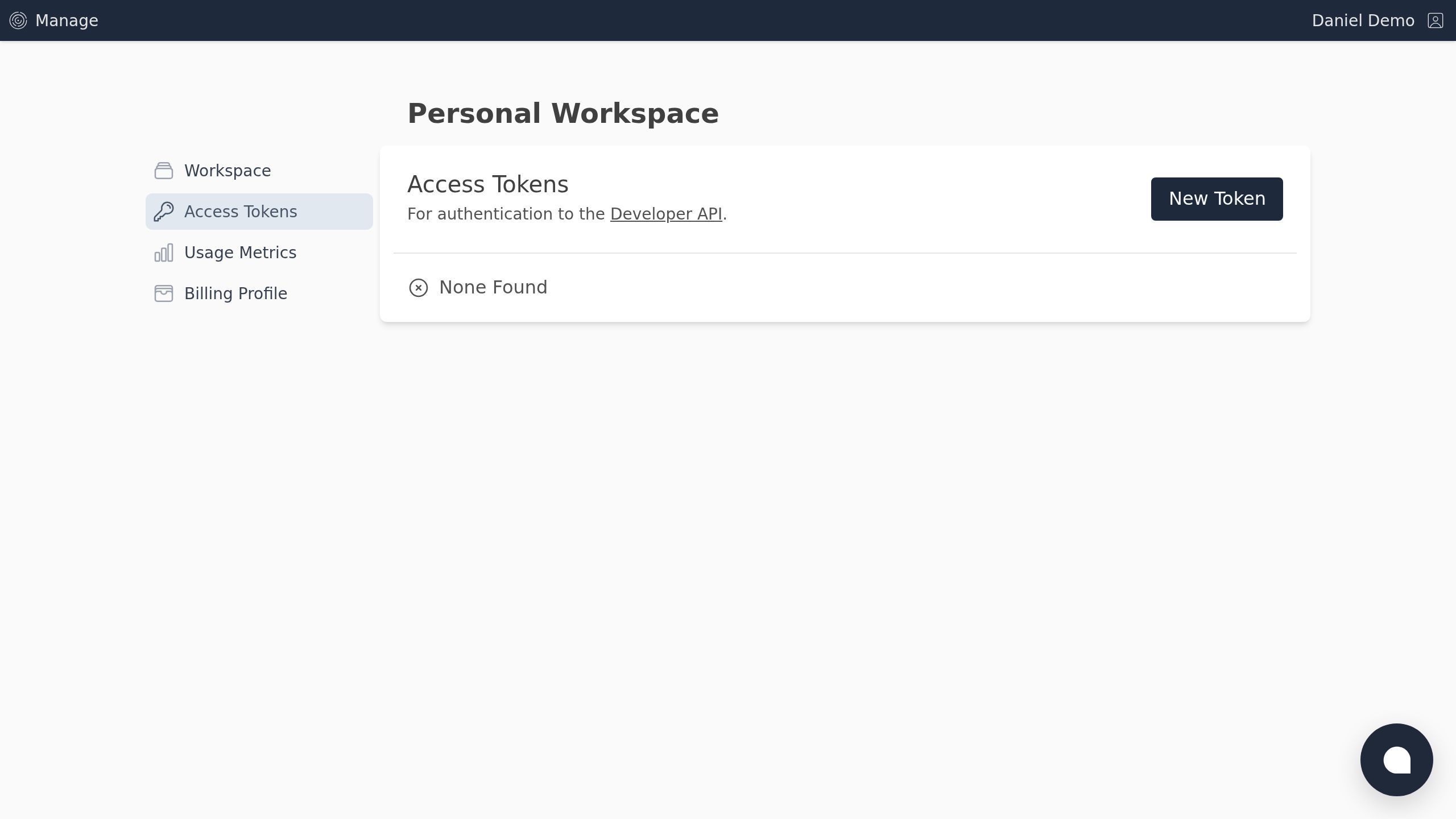
Screenshot with the New Token button
Step 3
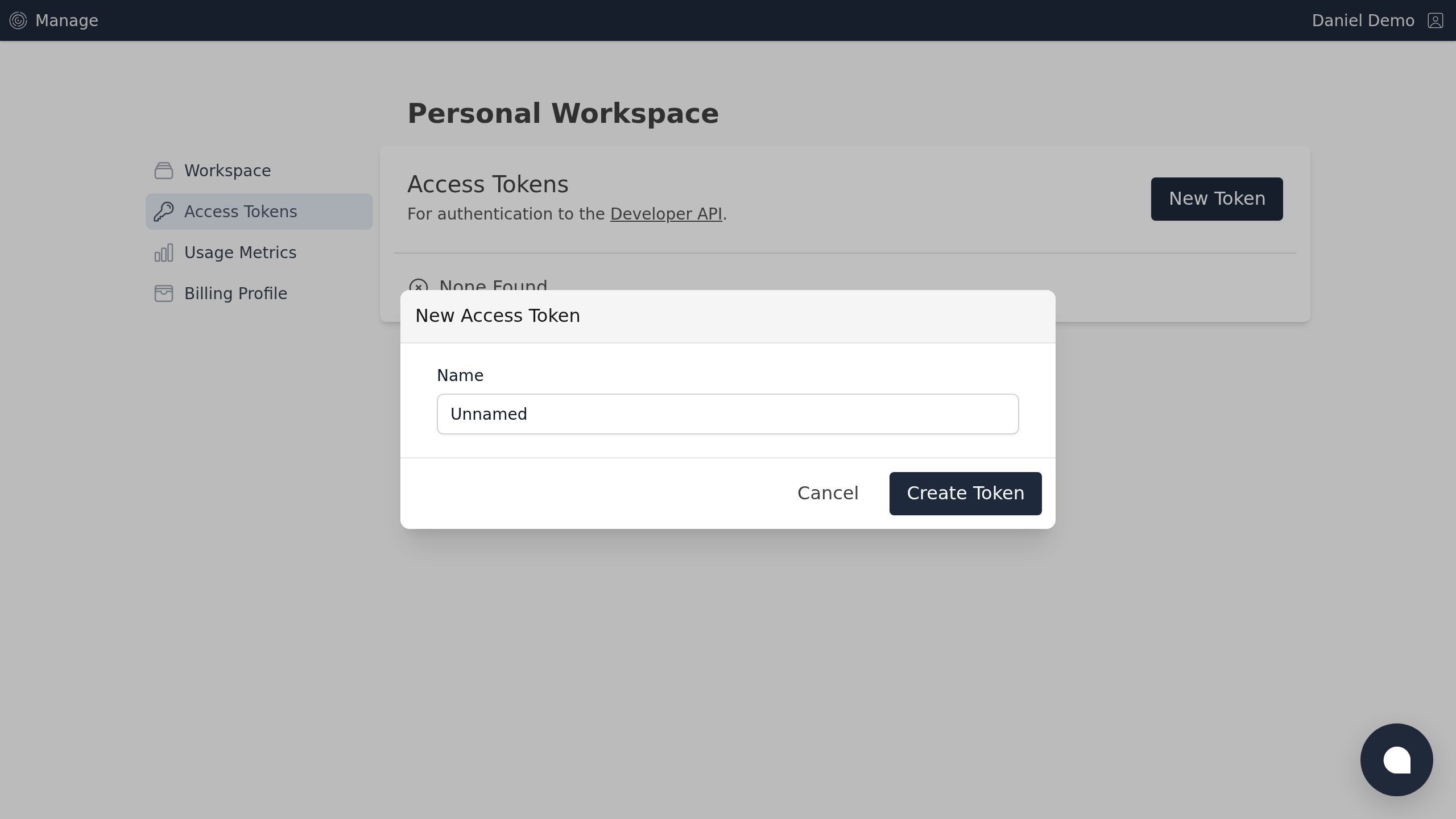
Optionally, give your token a name as a reminder of its purpose.
Step 4
Click the Create Token button.
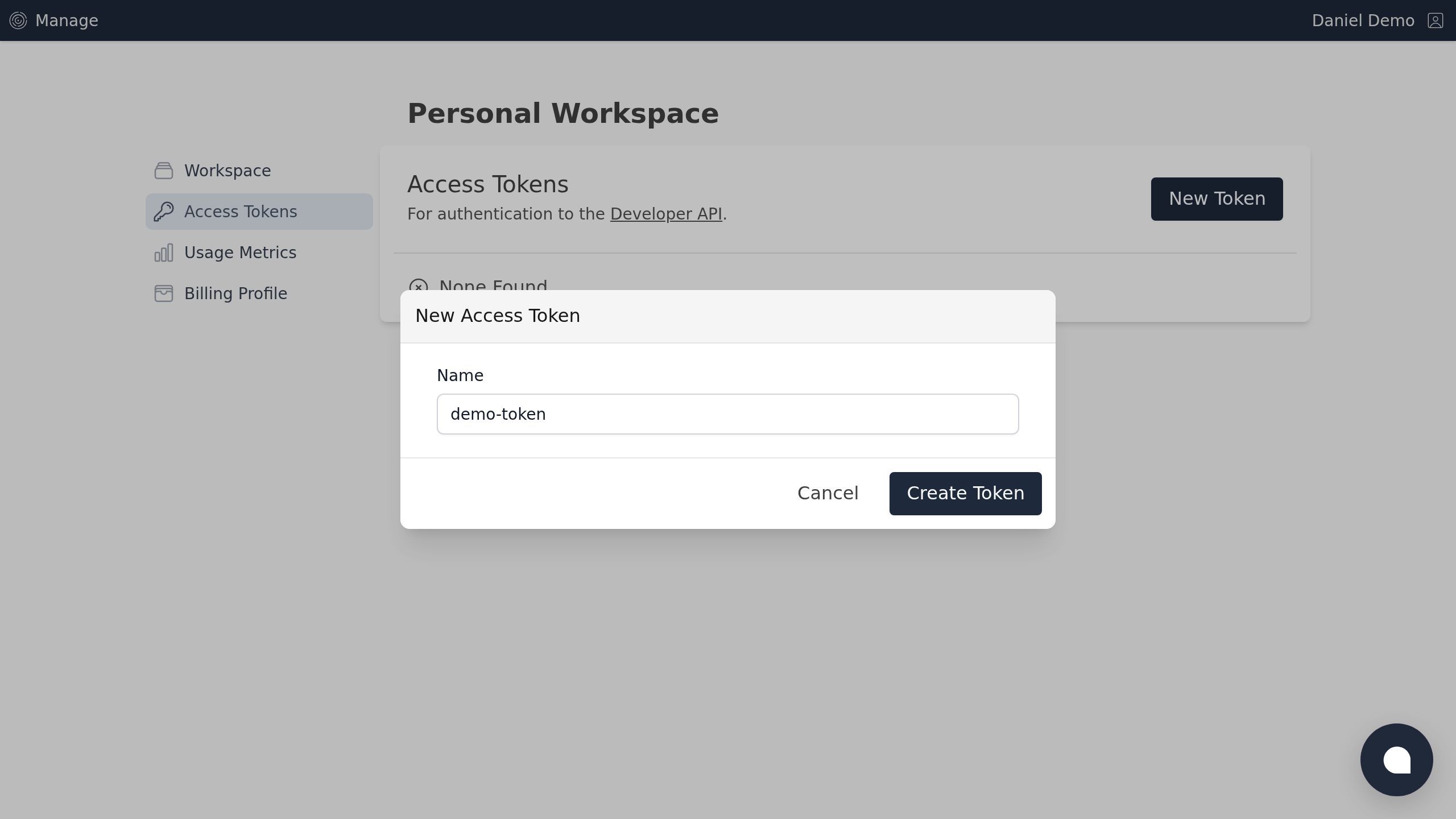
Screenshot with the Create Token button
Step 5
Be sure to save the token somewhere safe, as you will not be able to retrieve it again.
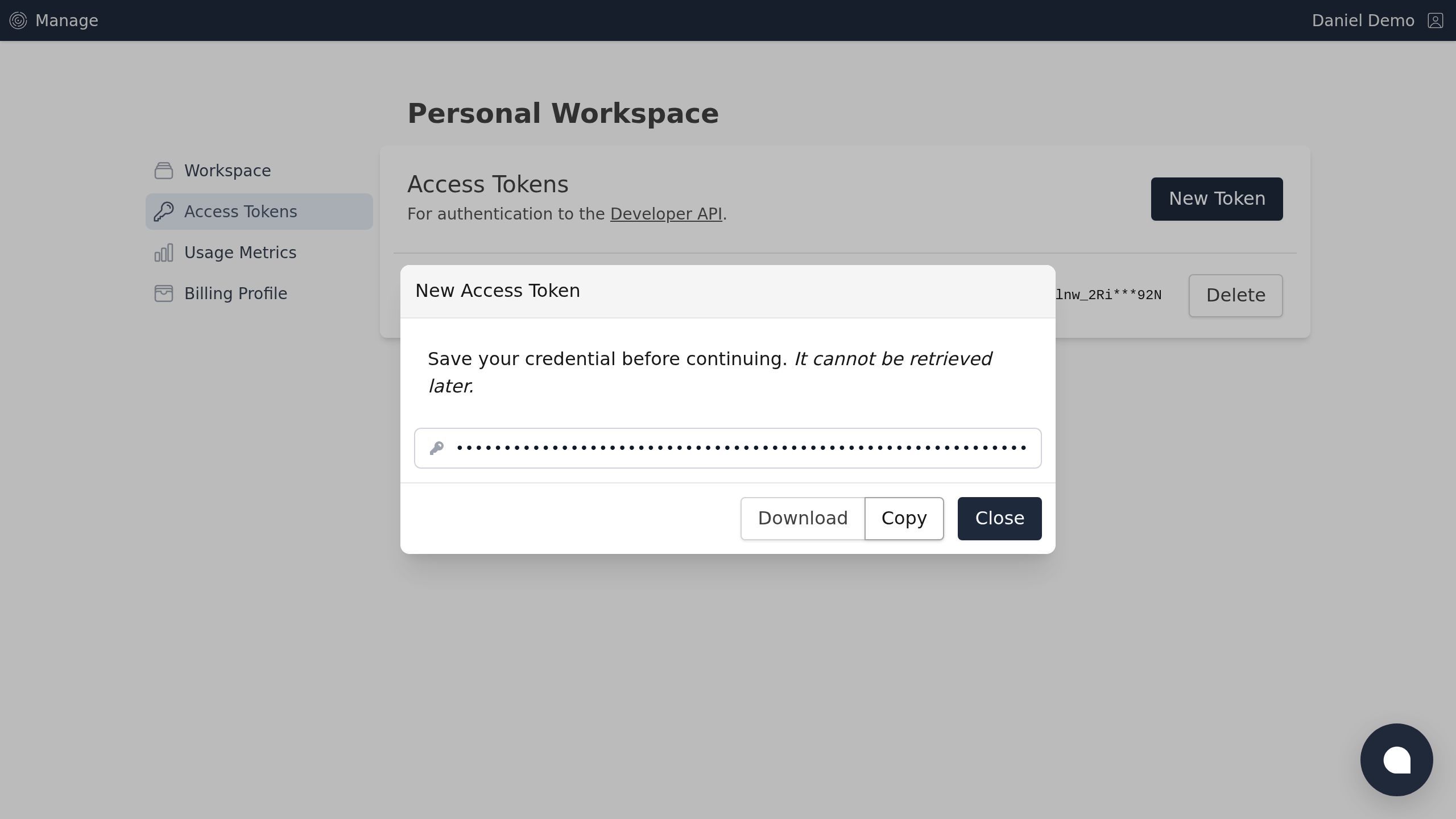
Screenshot with the Download button
Step 6
Click the Close button.
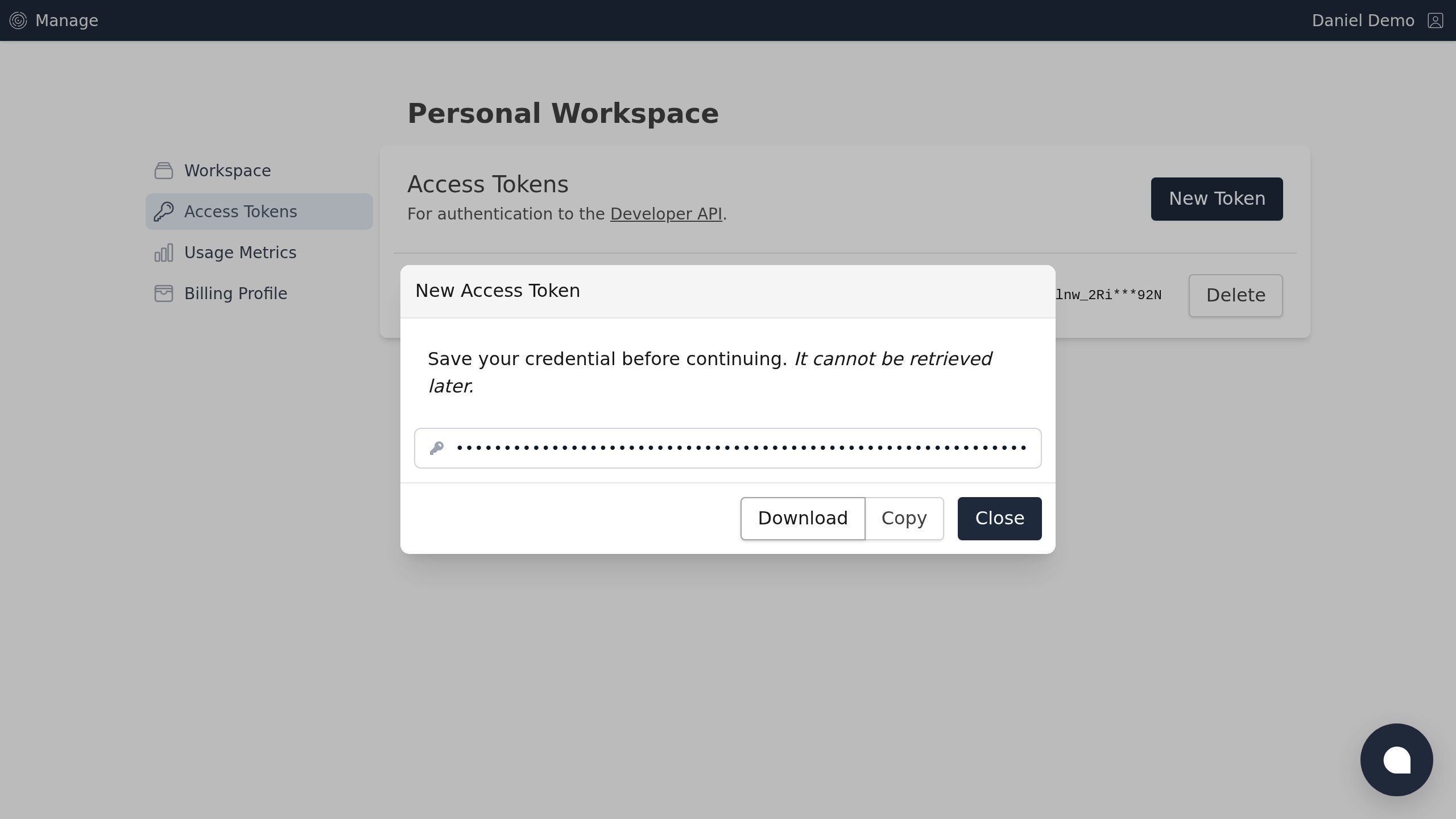
Screenshot with the Close button
Step 7
Your new token is immediately available for use in API requests.
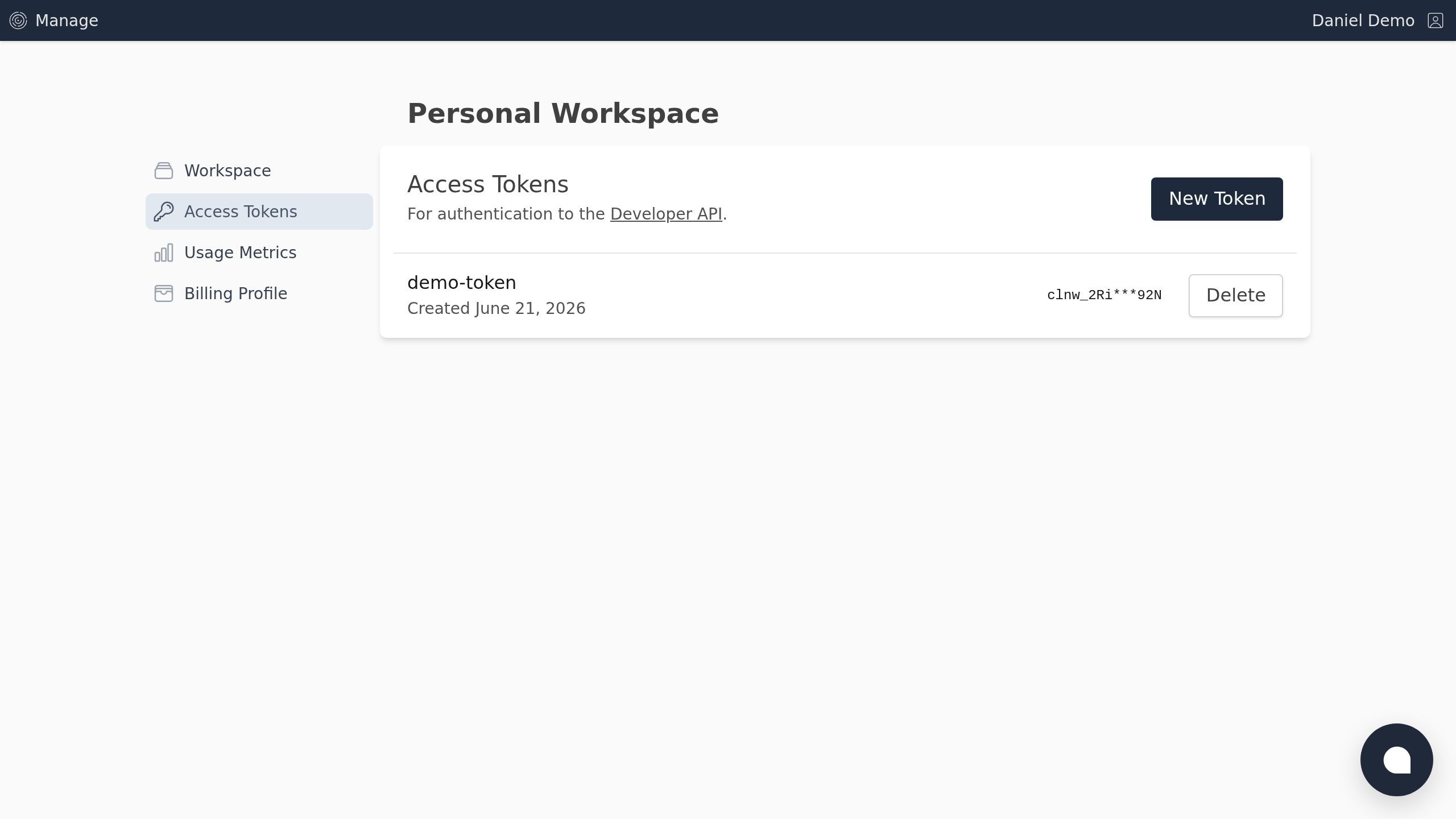
Screenshot of the Access Tokens | Curio Lane page.